Howei Calendar
 Events Results
 Media Gallery
 Runfluencer Program
 Announcements
 Howei Helpdesk



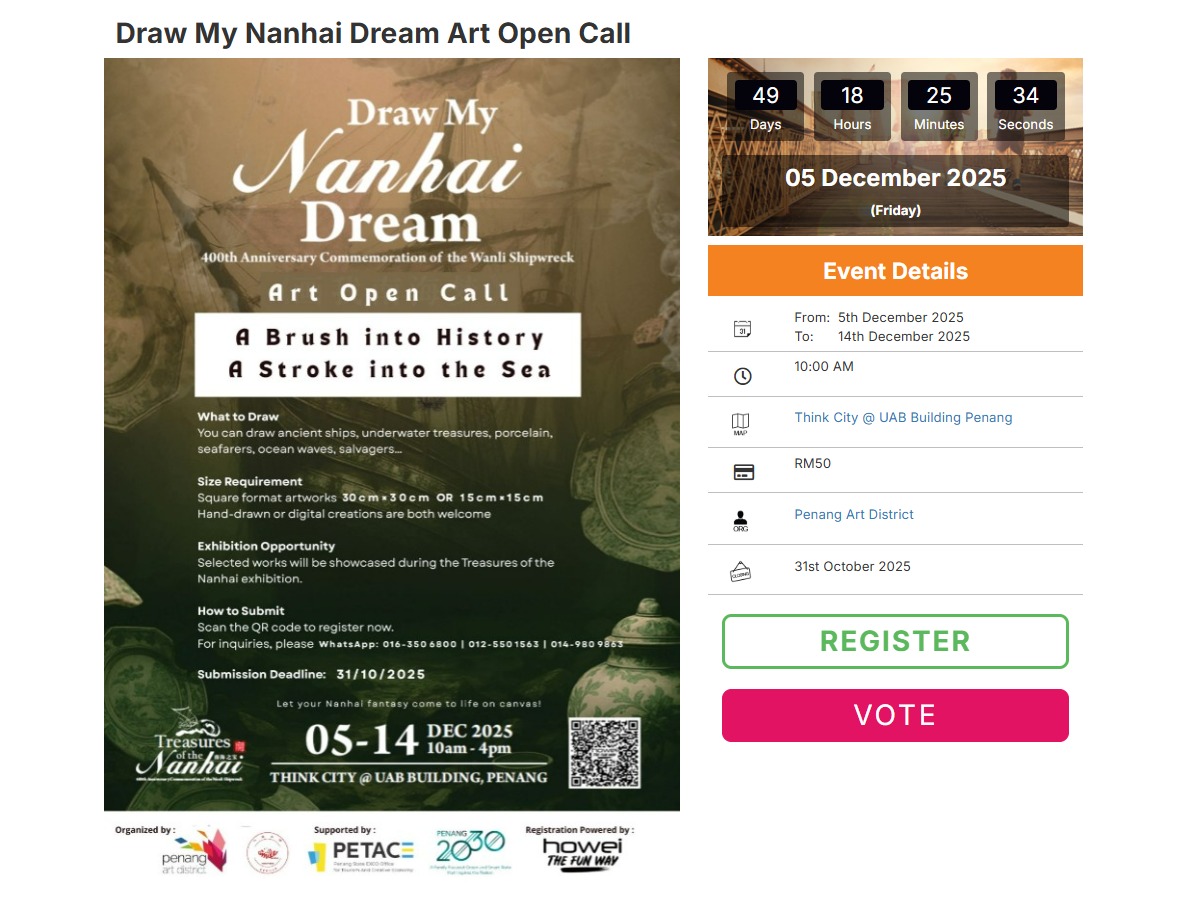
STEP 1: Register for the Contest
.png)
- Go to the event page.
- Click the “Register” button to join the competition.
(The “Vote” button is for public voting only.) - Complete your registration details and proceed with payment (if applicable).
- Once registration is successful, you’ll see a confirmation message with the button “Go To My Page.”
STEP 2: Access Your Voting Page
You can access your Voting Page in two ways:.png)
Option A — Immediately after registration:
- Click “Go To My Page.”
- You will be redirected to Your Voting Page, where you can upload your artworks right away.
.png)
Option B — Later (if you want to upload artworks later):
- Log in to your Howei account anytime.
- Go to the “My Events” section.
- Under this section, you’ll find two buttons:
- Vote — access Your Voting Page and upload artworks.
- Receipt — view your registration receipt.
- Click the Vote button to enter Your Voting Page and upload your artworks whenever you’re ready.
- (You don’t need to upload your artworks immediately after registration. You can always come back later through your Howei account.)
STEP 3: Upload or Edit Your Artwork
.png)
- Both options A and B will take you to your “Online Voting Page,” where you can click the “Edit” button to proceed to the next step, “Edit Your Voting Page.”
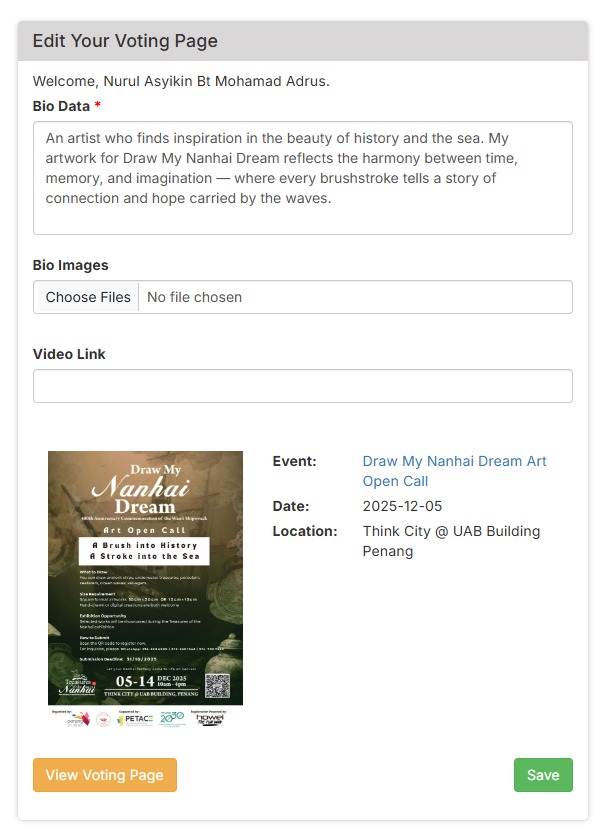
- Fill in your Bio Data (personal info and short description).
- Upload your Bio Image(s) — your artwork submissions.
Review your details and save your page. (You can edit or update your artworks anytime before the deadline.)
STEP 4: Public Voting
.png)
- Both contestants and the public can click the “Vote” button on the event page.
- This opens the Voting Interface, where users can:
- Browse all submitted artworks under the “Listing” section.
- Cast votes for their favourite artworks.
.png)
- The public can browse all submitted artworks under the “Listing” section and cast their votes.
- The public can click the “Vote” button to vote for any artwork they like and click the “View” button to see the contestants’ artworks.
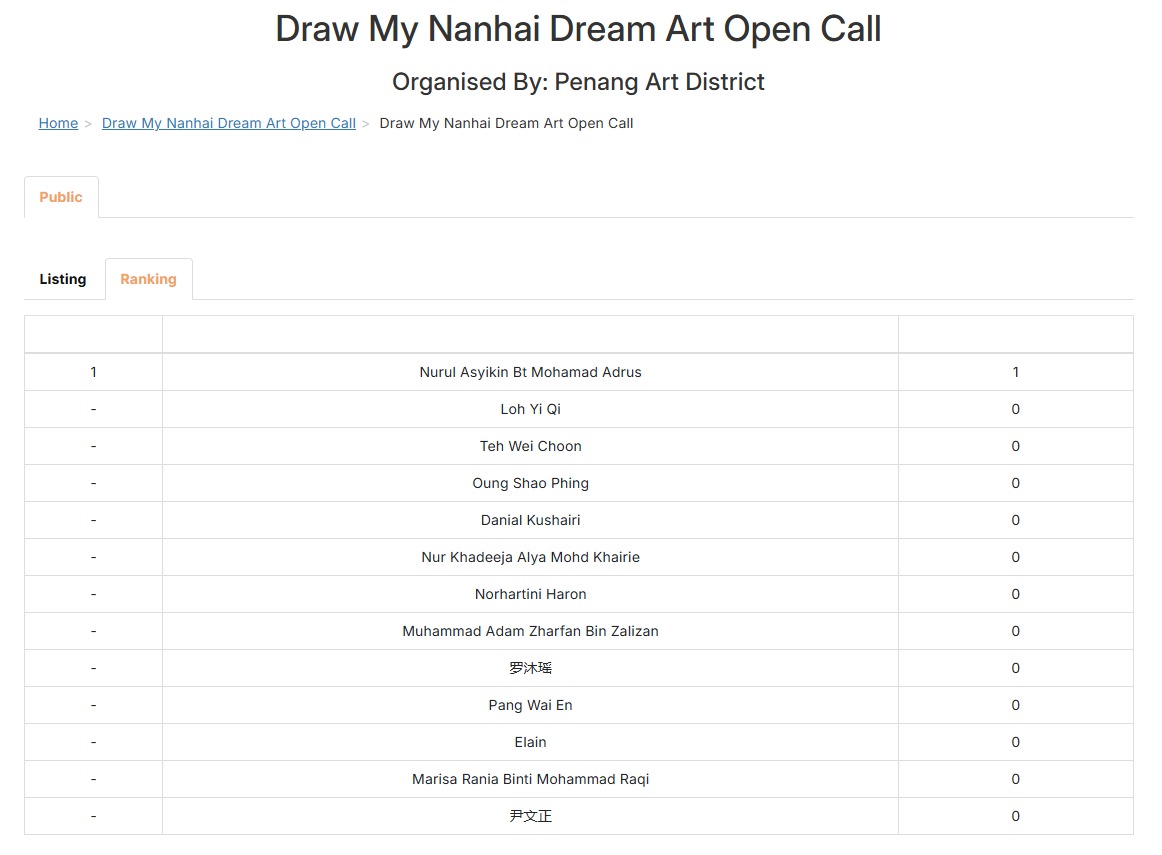
- The “Ranking” section displays the current voting standings.
Step 5: Success!