

 Howei Calendar
 Events Results
 Media Gallery
 Runfluencer Program
 Announcements
 Howei Helpdesk



FAQs
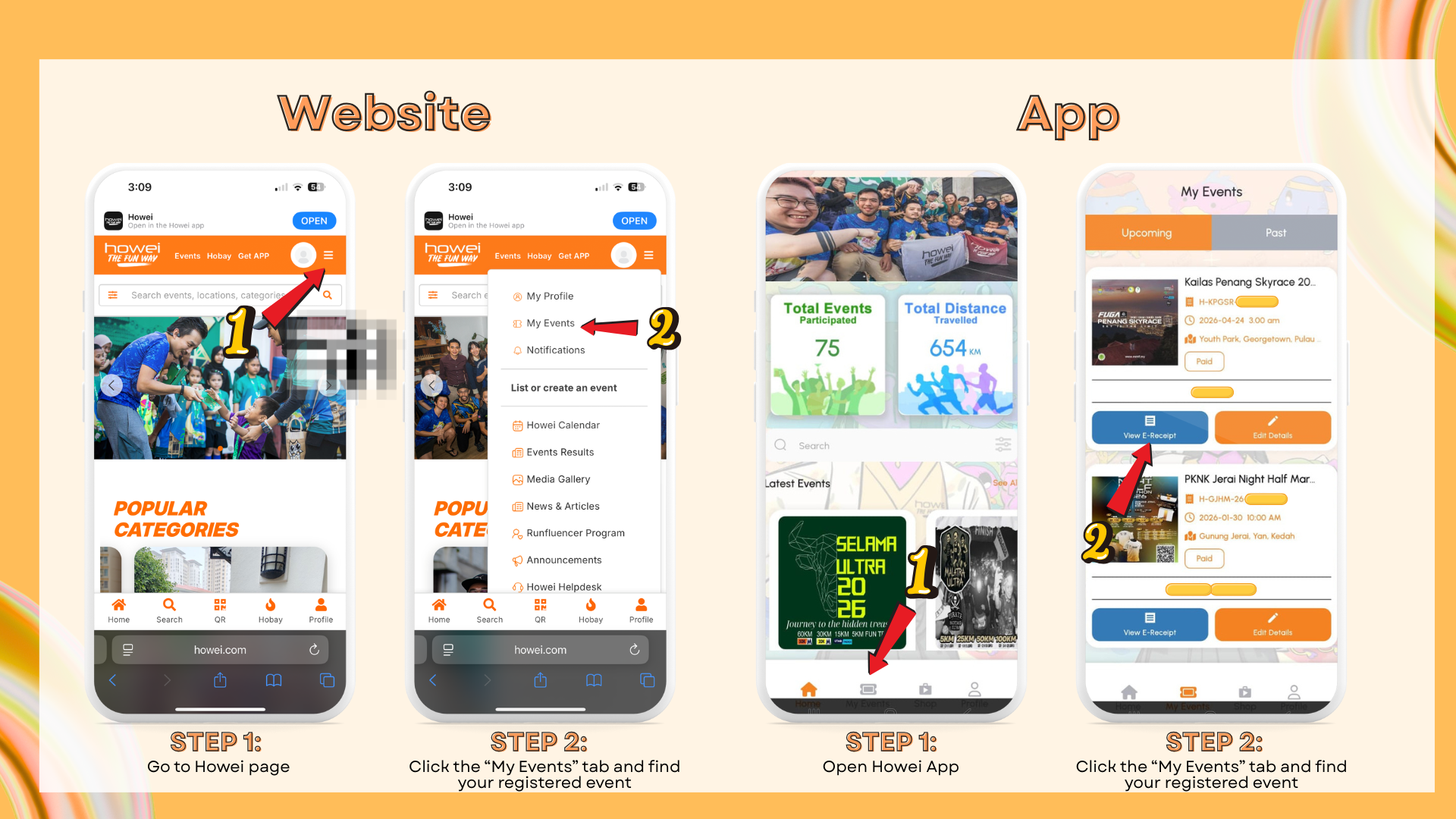
The confirmation slip will be automatically sent to your email after registration. You can also view it under the ‘My Event’ section on your account.
Steps:
1. Go to the Howei website or app
2. Click the “My Events” tab and find your registered event
3. Click “View Receipt” to access your confirmation slip
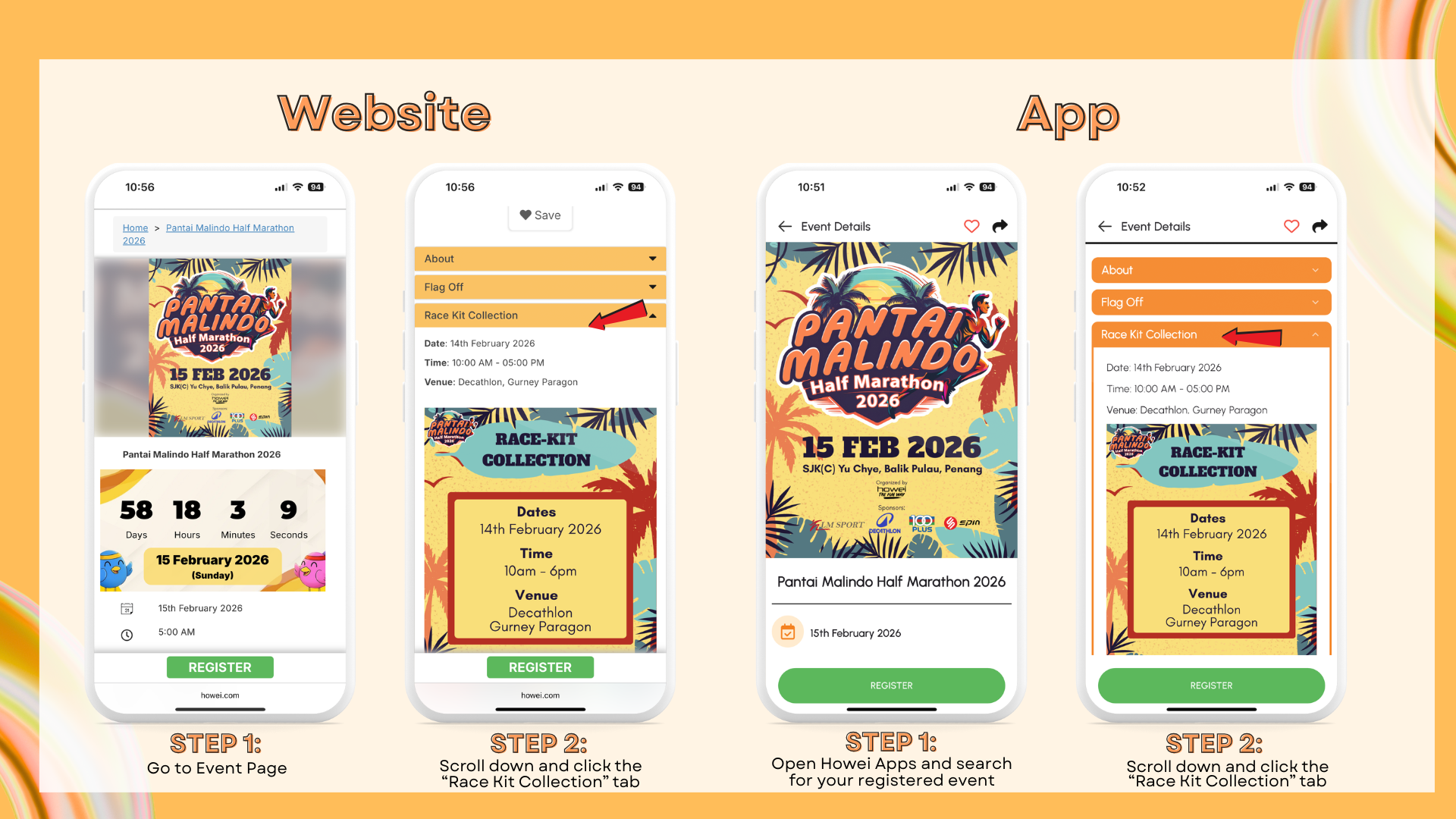
Race Kit Collection details are available on the event page under the ‘Race Kit Collection’ tab. If the details are not shown yet, it means they haven’t been announced. The information will be updated once available.
Steps:
1. Go to the Howei website or app and search for your registered event
2. Scroll down and click the “Race Kit Collection” tab
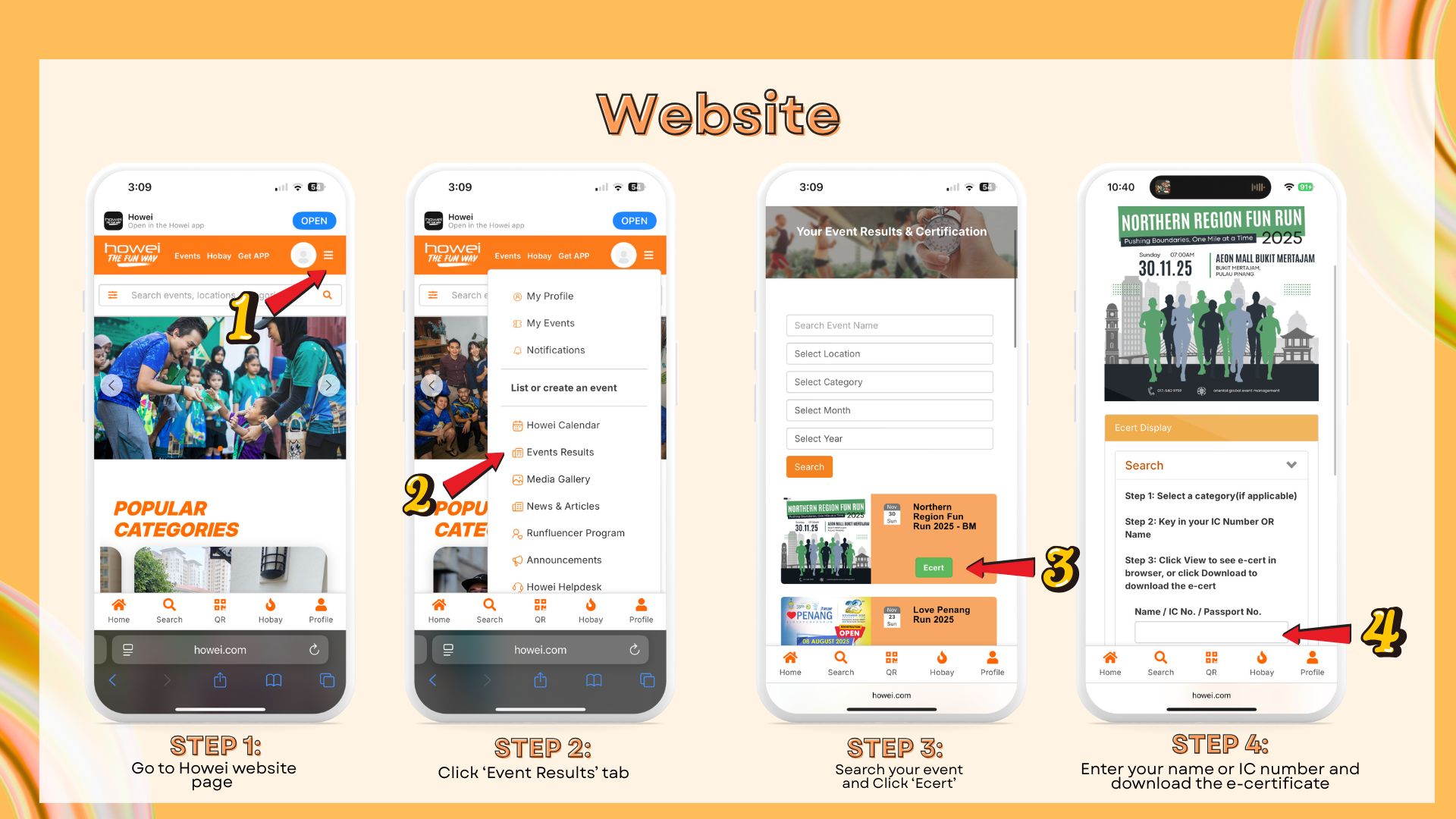
You can access your e-certificate at https://howei.com/result. If you don’t see an e-certificate, it may not have been released yet, or the event might not provide one. To confirm whether an event offers e-certificates, check the ‘Entitlement’ tab on the event page.
Steps:
1. Go to the Howei website and click the “Event Result” tab at the top
2. Search for your event and click “E-Cert”
3. Enter your name or IC number and download the e-certificate
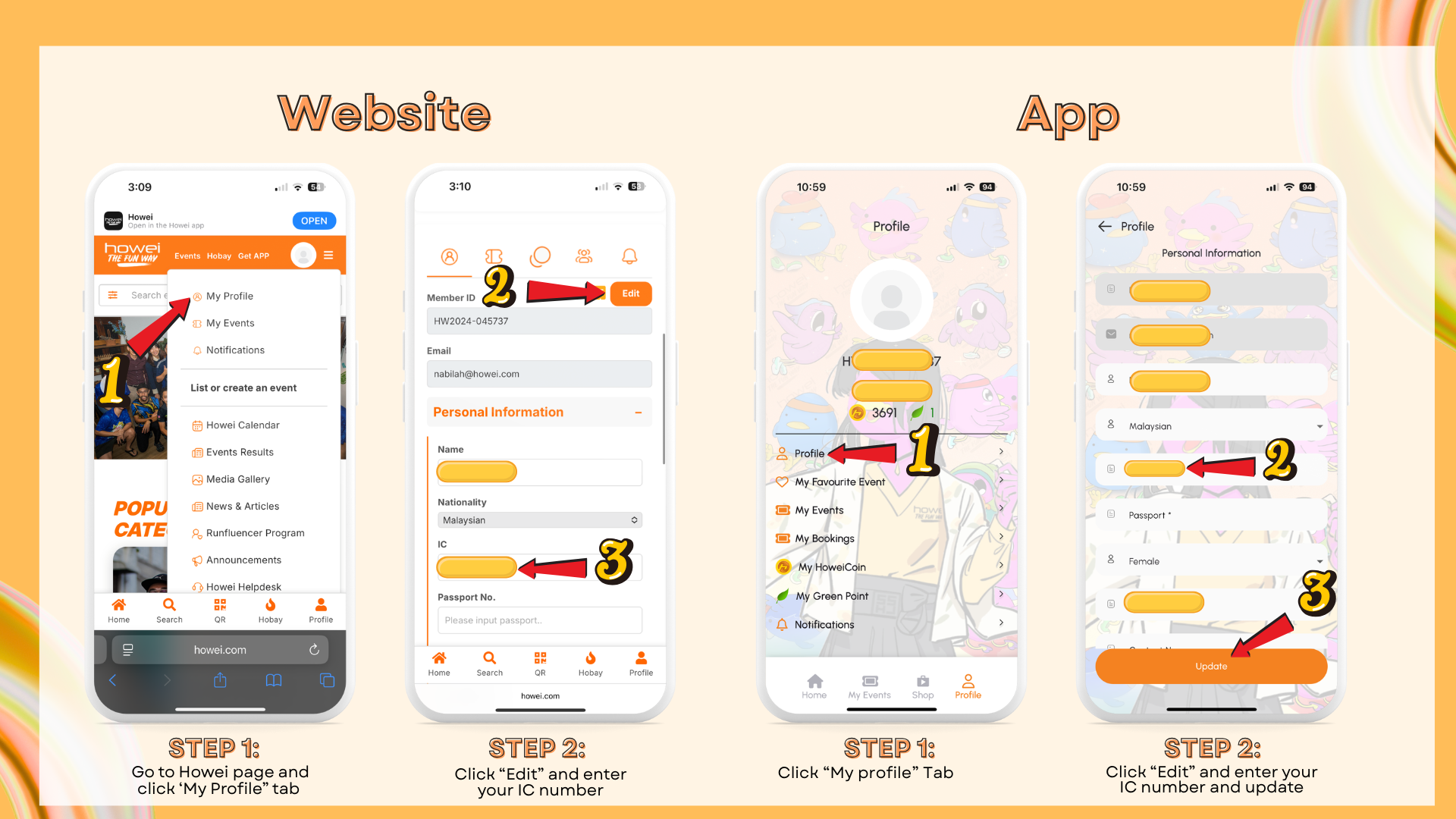
To link your registered event to your account, please log in and update your profile with your IC number. Once updated, the event will automatically sync with your account.
Steps:
1. Go to the Howei website or app and click “My Profile”
2. Click “Edit” and enter your IC number
3. Click “Update”, your event will automatically sync to your account
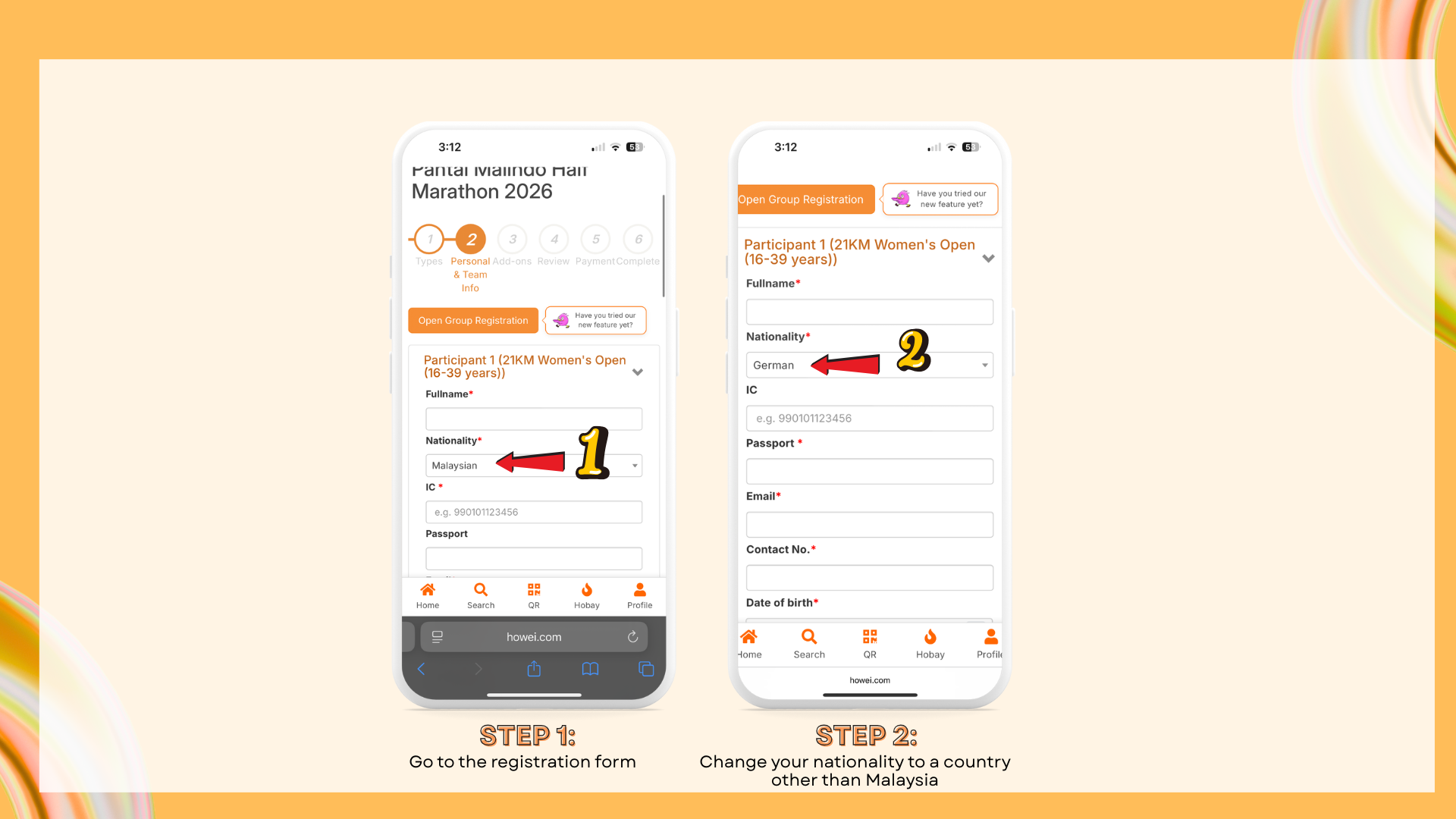
If you are not Malaysian, you can change the ‘Nationality’ field and enter your passport number instead. You do not need to provide an IC number.
Steps:
1. Go to the registration form
2. Change your nationality to a country other than Malaysia
3. Enter your passport number, the IC number field will no longer be required
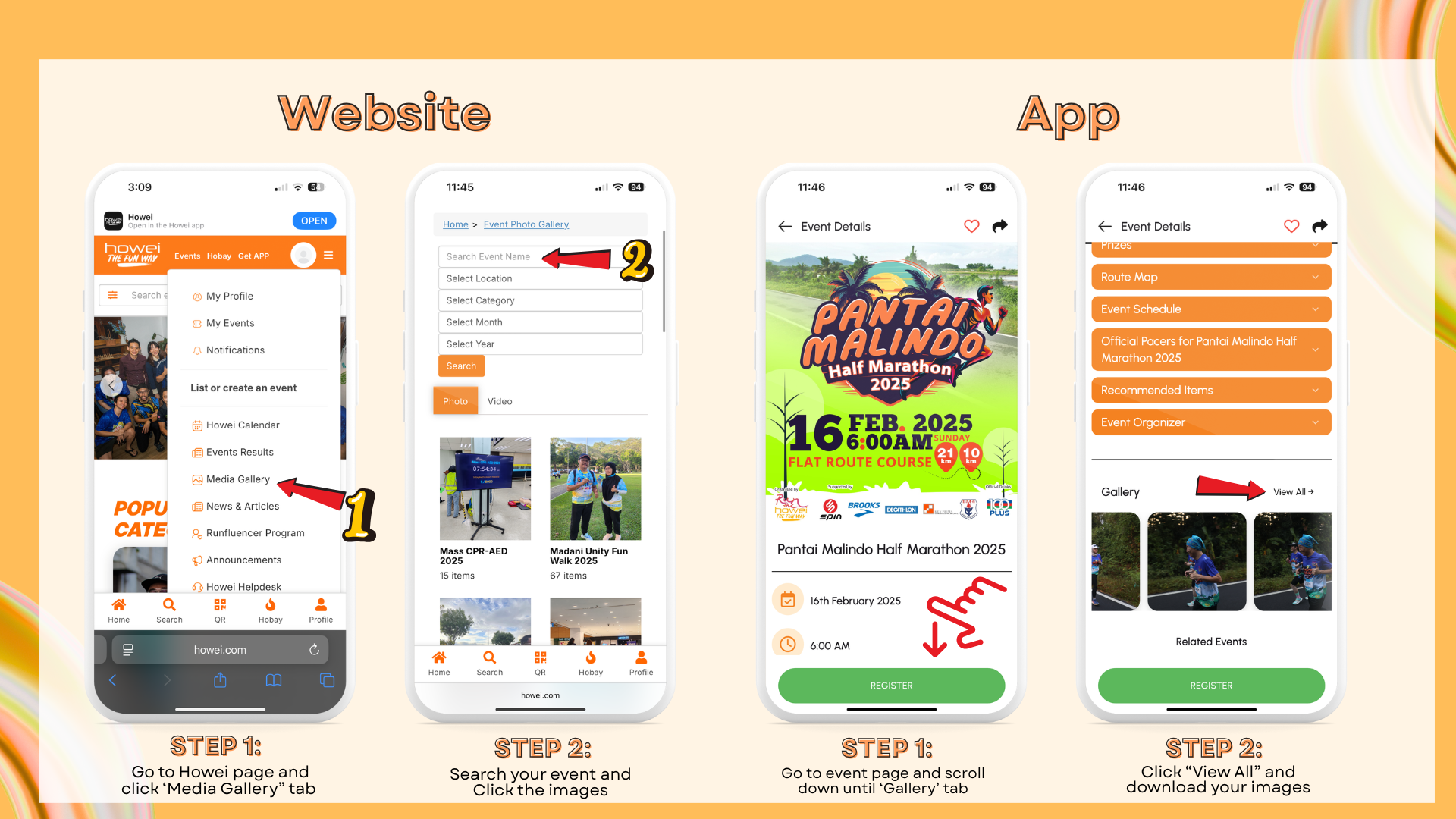
You can find the event photos on the event page or in the media gallery..If event photos are provided by the organizers, they’ll be uploaded to the event page once available.
You can email helpdesk@howei.com with your request. Please include the event name, participant details, and specify the size change (for example, from M to L).



Version 3.01.01.12

